FIRST... Filter By Tags

Cisco Express Forwarding (CEF)


"Process switching requires the CPU to be personally involved with every forwarding decision.

Fast switching still uses the CPU, but after a packet has been forwarded, information about how to reach the destination is stored in a fast-switching cache.  This way, when another packet going to the same destination is seen, the next hop information can be re-used from the cache, so the processor doesn’t have to look up and assemble all the information again.  If the information is not cached, (for example a first packet for a given destination network) the CPU will have a similar workload, for that packet, as if fast switching was not in use.

Cisco Express Forwarding (CEF), is the evolution of optimizing the router to make it be able to forward more packets faster.  CEF cheats a little, by building a Forwarding Information Base (FIB), and an adjacency table.  The FIB is accessed very quickly based on how they built it (it is Cisco proprietary), and contains pre-computed reverse lookups, next hop information for routes including the interface and L2 information to use.  (All the stuff a router would have to consider when forwarding a packet).

In short:

Process switching is like doing math, long hand.   

Fast switching, using the cache, is like doing a problem once long hand, and subsequent problems you remember the answer for, (from memory, or the cache).

CEF is like having programmed an excel spreadsheet, and when the numbers hit the cells, the answer is already calculated.

Best wishes,

Keith (Barker)"


What is CEF?

Definition from Cisco.com :
Cisco Express Forwarding (CEF) is advanced, Layer 3 IP switching technology. CEF optimizes network performance and scalability for networks with large and dynamic traffic patterns, such as the Internet, on networks characterized by intensive Web-based applications, or interactive sessions.

To understand this better, one has to understand why and how CEF came about.  With Cisco IOS  there are different Switching Methods, that define how packets are forwarded through a router. The first method, which happens to be the oldest and slowest is Process-Switching. Alternatively when  packets arrive, the interface processor can interrupt the central CPU and asks it to switch the packet according to a route cache or switching table. That cache or table can be built in several ways, the two of interest here are Fast-Switching and CEF.

With Process-Switching, when a packet enters the router the Layer-2 info is stripped off,   the packet is then copied to the CPU memory where a L3  lookup is performed, and any other CPU required features, like NAT, queuing, compression etc, along with any other housekeeping like lowering the TTL, recalculating the CRC are done, before the frame is rewritten with the new L2 destination address and sent to the outgoing interface. The Big, the Bad and the Ugly!

With Fast-Switching, the first packet in a flow is still copied to the CPU for the L3 lookup and housekeeping, before being rewritten with the L2 destination address. The switching of the first packet by the central CPU gives the CPU the opportunity to build a cache called the fast-switching cache, which is used to switch all subsequent packets for the same destination using the same switching path across the router. With Fast-Switching the cache is only built on demand, which can be time consuming when huge numbers of potential destinations are involved. To avoid this a pre-build cache was needed, and thus CEF was born.

With CEF (Cisco Express Forwarding), there are two main data structures:
  • The Adjacency-Table : is responsible for the MAC or Layer 2 rewrite. This adjacency can be built from ATM,  Frame Relay map statements, dynamic information learned from Ethernet-ARP, inverse ARP on ATM, or Frame Relay. The Layer 2 rewrite string contains the new Layer 2 header which is used on the forwarded frame.  For Ethernet, this is the new destination and source MAC address and the Ethertype. For PPP, the Layer 2 header is the complete PPP header, including the Layer 3 protocol ID.
  • FIB (Forwarding Information Base) Table : The CEF table/FIB table holds the essential information, taken from the routing table, to be able to make a forwarding decision for a received IP packet. This information includes the IP prefix, the recursively evaluated next hop, and the outgoing interface.
The CEF process flow:
  1. When a packet enters the router, the router strips off the Layer 2 information.
  2. The router looks up the destination IP address in the CEF table (FIB), and it makes a forwarding decision.
  3. The result of this forwarding decision points to one adjacency entry in the adjacency table.
  4. The information retrieved from the adjacency table is the Layer 2 rewrite string, which enables the router to put a new Layer 2 header onto the frame,
  5. The packet is switched out onto the outgoing interface toward the next hop.
To enable Proccess-Switching on a interface you have to disable Fast-Switching and CEF that is enabled by default:
#no ip route-cache
#no ip cef
To enable Fast-Switching on a interface use the following command:
#ip route-cache
To display the IP Fast-Switching Route-Cache :
#show ip cache [verbose] [prefix mask]
To enable CEF globally  (Default = Enabled) :
#ip cef
To enable CEF on the interface :
#ip route-cache cef
To see the CEF Adjacency Table, the [detail] option displays the L2-Rewrite string:
#show adjacency [detail]
To see the CEF FIB Table:
#sh ip cef [prefix]


Helpful IOS Commands


Router Commands

Old Information
  • Modes - user exec vs. privileged exec vs.
  • ? and [space] ?
  • Tab = autocomplete
  • Return vs. Space Bar
  • Up Arrow = history
  • Exit vs. End


Gmail – Sign-Out Automatically


Too many students are staying logged in, well after they leave.  Play a bit safer.

Gmail – Sign-Out Automatically

One of the features of Gmail I don’t like for security reasons is that every time I open Chrome, it automatically takes me to my Gmail account. Obviously if I lose my computer, a bad guy would only have to startup my computer and he/she would automatically be logged into my Gmail account – not a good thing.
A number of other people have complained of this issue.
I have found a number of things you can do to help with this issue, but none seems to work ALL the time except for the last and that involves more work on your part.
1`. When you Sign In – unclick the “Stay Signed In” box.
gmail-stay-signed-in


2. Settings – Show Advanced Settings – Privacy – Content Settings – Cookies – Manage Exceptions – Add the line [*.]google.com – choose Clear on Exit.
gmail-stay-signed-in-2

3. I have noticed that it helps to actually choose Exit from the Chrome Controls rather than just clicking on the Red X.

4. Enable two-factor authentication. This certainly works, but makes another step for you to do.

Best Practices


Students often ask, "what is the best way to get this information?" The quick answer is, through hard work, repetitive work, and time.

While past learning has been approached as 
  1. presentation
  2. read
  3. assess
I would like to recommend something different, as this is an accelerated course.
  1. Take the chapter assessment, only answering questions you KNOW are correct.
    • Use the personalized feature to identify your weaknesses
  2. Interact with the curriculum, paying special attention to noted weaknesses in your pre-assessment
    • Use the Discussions to interact with classmates and identify clarifying information
  3. Preview the Presentation Slides
  4. Read  Chapter Summary on Blog
  5. Be an active participant during presentations
  6. Retake the assessment, this time doing your best to answer each question
Basically, reverse engineering.

Inclement Weather Information

In case of inclement weather, please check the Montgomery College web site: 
If the school or campus opening is delayed by more than half time of your class, do not report to class, otherwise come to class and conduct what is left of the class.  Example: Class meets on Saturday 9:30 - 12:30 p.m., the campus opens at 11:00, come to class and teach 1.5 hours. If an opening is delayed until 11:30, do not report to class. If the class starts late and you, your students and the room are available to make up the class time in the same session, you can complete the entire class; otherwise, the second part of the class will be rescheduled.

Most importantly, please keep in mind that Montgomery College will always be operating on its regular schedule unless otherwise announced.


Please be sure to check this web site for information or signing up for Montgomery College (MC) Alerts to receive text messages regarding MC school closures - http://cms.montgomerycollege.edu/EDU/Plain2.aspx?id=4106
 
We DO NOT follow Montgomery County Public Schools open/close policies!!!

Certificates of Completion and Letters of Merit

Certificates of Completion and Letters of Merit

How can I request a Certificate of Completion and/or a Letter of Merit for my Students?

A Certificate of Completion is awarded to all Students and Instructors who satisfactorily complete a Cisco Networking Academy® course. This is indicated by a “complete” marked in the Cisco® NetSpace grade book for the relevant course. A certificate of completion is not the same as a Cisco certification.
A Letter of Merit is a letter signed by Cisco CEO John Chambers that is awarded to Students and Instructors who score 75 % or above on their course final exam to acknowledge the excellence they have achieved.
Instructors can request, print and sign the certificates of completion and letters of merit for their eligible Students, for active courses and for concluded courses. They can do so for the entire class or for each Student individually.
Please Note:  
A) Eligible Students can also download their own Certificates or Letters from their Student Profile, accessible by clicking on the link of their name at the top of any page once logged in to Cisco NetSpace.
B) In order for the name of the Instructor to appear on the Student’s certificate, the Instructor must request the certificate first. If a Student requests their certificate before the Instructor does it, then the name of the Instructor will not appear on the certificate.
To request Certificates and/or Letters for one Student, please follow the steps below:
  1. Log in to Cisco NetSpace at https://www.netacad.com
  2. From the ‘NetSpace Home’ page and the ‘Teach’ tab, click the 'Gear' icon located next to the course name. (For a concluded course, click on the ‘ShowConcluded’ button above ‘Actions’)
  3. Scroll down to the ‘Enrolled Students’ section
  4. Locate the name of the Student who needs a Certificate and/or Letter
  5. Click the ‘Actions’ button found under the ‘Certificates/Letters’ column
  6. Select ‘Get Certificate’ to print the Certificate of Completion for the Student and/or select ‘Get Letter’ to print the Letter of Merit for the Student
To request Certificates and/or Letters for your entire class, please follow the steps below:
  1. Log in to Cisco NetSpace at https://www.netacad.com
  2. From the ‘NetSpace Home’ page and the ‘Teach’ tab, click the 'Gear' icon located next to the course name. (For a concluded course, click on the ‘Show Concluded’ button above ‘Actions’)
  3. Scroll down to the ‘Enrolled Students’ section
  4. Right above it, click on the ‘Get All Certificates’ or ‘Get All Letters’ button
  5. Read the confirmation message
  6. Click ‘OK’
  7. The following message will appear at the top of the page: ‘Thank you for submitting your request. You will receive an email within one hour when the file is ready’
  8. The ‘Get All Certificates’ button will disappear and the following message will replace it: ‘Your request for certificates is submitted.’  
You will receive an email within an hour informing you that the file is now ready for download and will be available for 30 days in your Course Management page.
  1. To download the file, please follow the steps below:
  2. Log in to Cisco NetSpace at https://www.netacad.com
  3. From the ‘NetSpace Home’ page and the ‘Teach’ tab, click the 'Gear' icon located next to the course name
  4. Scroll down to the ‘Enrolled Students’ section
  5. Just above it, click on the link of the file name next to the ‘Get All Certificates’ or ‘Get All Letters’ button. The date and time of the request appears next to the file name
  6. Choose a location to download and save the zip file
  7. Open the zip file. You will see one pdf document per Student
To view detailed information on the Certificates of Completion and Letters of Merit that are available to qualified Cisco Networking Academy® Students and Instructors, please follow the steps below:
  1. Log in to Cisco NetSpace at https://www.netacad.com
  2. From the 'Offerings' menu, click 'All Resources'
  3. Scroll down to the bottom of the page and click the 'More' link
  4. Click the 'FAQs and Tutorials' link
  5. Click the 'Certificates and Letters FAQ' link
  6. Click on ‘Download’ to view the FAQs that provide detailed information about Certificates of Completion and Letters of Merit

Recording - So Long As You Pay It Forward

Print

Often times, learners wish to record the sessions.

The guidelines for recording sessions of Mr. Sontz, include, but are not limited to the following:
  • All recordings are shared with classmates for others to benefit from... because "sharing resources is what networking is all about.".
    • Save to CCNA Complete - Shared\Instruction\Class Notes folder
  • Recording does not interfere with the professional learning environment.
  • The content is the property of Derek Sontz, providing permission to learners for their educational purposes.
Please save your recording(s), or any class notes, into the same folder on the shared drive.

Finally, if a session is exceptionally good, please let me know, in order to share with future learners.

Welcome to CCNA Complete @ Montgomery College ITI Blog

Thank you for taking the CCNA Complete course at Montgomery College Information Technology Institute.
It is my goal to provide you with knowledge, skill, and resources to become successful. A primary approach is move learners from awareness to learning to understanding.

Please take full advantage of all class and lab time. There is a significant amount of information that will be shared and experienced.

I look forward to working with you.
Sincerely,

Derek Sontz
---------------------------------------------------------------
Please fill out this Name Verification Form
This form is a Montgomery College form intended to provide accurate information for certificates generated at the end of the course. An 80% attendance rate is required in order to receive a certificate.
Students Wanting CPA/CPE credit should complete the following Information: Address/ City/ State/ Zip
Additional questions are to enable the instructor to differentiate instruction and create an equitable classroom.

Welcome - First Night

By the end of this class, students will
  • Present themselves to their peers and meet classmates
  • Identify with and understand the relationship between Cisco Systems, Cisco Certifications, and the Networking Academy (Netspace)
  • Discover resources for this course (books, software, online sites)
  • Explore the curriculum and the Netspace interface
  • Access online resources for the course
Agenda:
  1. Welcome
  2. Introductions: You and Me
  3. CCNA Complete
  4. Cisco Systems, Certification, and the Cisco Networking Academy
  5. Netspace - Tokens, Logins and UI's
  6. Resources - Packet Tracer, Wireshark
Homework:

Cisco Networking Certification Guides from Amazon


Mother's Day
Amazon.com
Your Amazon.com Today's Deals See All Departments
Customers who have shown an interest in CCNA reference guides might like to know about these featured resources.
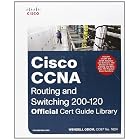
CCNA Routing and Switching 200-120 Official Cert Guide Library
List Price: $59.99
Price: $34.79
You Save: $25.20 (42%)
Learn more
Add to Wish List
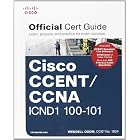
CCENT/CCNA ICND1 100-101 Official Cert Guide
List Price: $39.99
Price: $23.19
You Save: $16.80 (42%)
Learn more
Add to Wish List
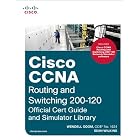
Cisco CCNA Routing and Switching 200-120 Official Cert Guide and Simulator Library
Cisco CCNA Routing and Switching 200-120 Official Cert Guide and...
List Price: $199.99
Price: $125.83
You Save: $74.16 (37%)
Learn more
Add to Wish List
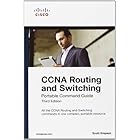
CCNA Routing and Switching Portable Command Guide (3rd Edition)
List Price: $34.99
Price: $20.99
You Save: $14.00 (40%)
Learn more
Add to Wish List
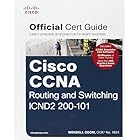
CCNA Routing and Switching ICND2 200-101 Official Cert Guide
List Price: $39.99
Price: $23.19
You Save: $16.80 (42%)
Learn more
Add to Wish List
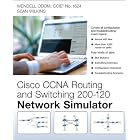
CCNA Routing and Switching 200-120 Network Simulator
List Price: $149.99
Price: $85.16
You Save: $64.83 (43%)
Learn more
Add to Wish List
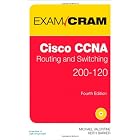
CCNA Routing and Switching 200-120 Exam Cram (4th Edition)
List Price: $44.99
Price: $27.52
You Save: $17.47 (39%)
Learn more
Add to Wish List
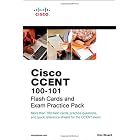
CCENT ICND1 100-101 Flash Cards and Exam Practice Pack (Flash Cards and Exam Practice Packs)
CCENT ICND1 100-101 Flash Cards and Exam Practice Pack
List Price: $29.99
Price: $21.58
You Save: $8.41 (28%)
Learn more
Add to Wish List
< Learn more


Do You Have A Problem? :)

technically speaking, that is :)